
Building ZIP: A Free File Compression Tool (And Everything That Went Wrong)
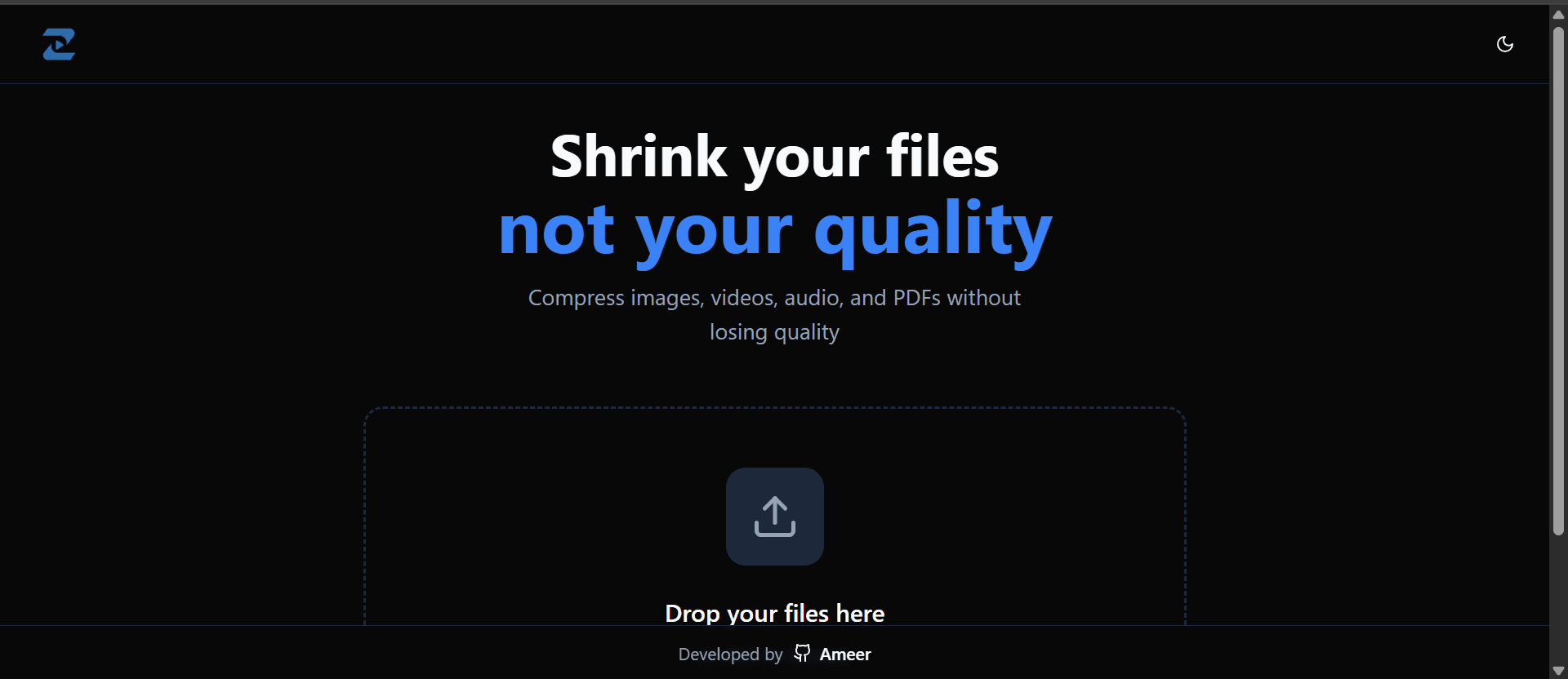
I shipped ZIP last week , a free tool that compresses images, PDFs, audio, and video files up to 2GB. No signups, no limits, just drag and compress. Sounds simple, right? It wasn't.
This project took way longer than I planned. Between school assignments piling up and debugging issues I didn't even know existed, there were moments I genuinely considered scrapping the whole thing. But I stuck with it, and honestly learned more from this than any tutorial I've ever watched.
Why I Built This
I was trying to send a large video file to a friend and hit the usual roadblocks , email size limits, Dropbox quota exceeded, and those sketchy compression sites with ads everywhere. I figured there had to be a better way. So I decided to build it myself.
The goal was simple: a clean, free compression tool that actually works. No paywalls. No "premium features." Just upload, compress, download.
The Tech Stack (And Why I Chose It)
I went with Next.js 14 for the frontend because I wanted something fast and the App Router made routing dead simple. The backend is Express.js running on a Hetzner VPS, cheap, powerful, and gave me full control.
For compression, I used:
- Sharp for images , blazing fast and handles huge files
- FFmpeg for video and audio , the gold standard
- Ghostscript for PDFs , surprisingly tricky to set up
I went with MongoDB to track compression jobs and tus protocol for resumable uploads because nobody wants their 2GB upload to fail at 99%.
The Problems (There Were Many)
1. Ubuntu 24.04 Broke Everything
MongoDB doesn't officially support Ubuntu 24.04 yet. I spent two hours trying to install it before realizing I needed to use the Ubuntu 22.04 repository instead. Small detail, cost me half a day.
2. Permission Hell
I kept getting "permission denied" errors when building the app. Turns out the dist folder was owned by root but I was running as a different user. One chown command fixed it but figuring that out? Not fun.
3. Port Already in Use
PM2 kept crashing with "EADDRINUSE" errors. I had accidentally started multiple instances of the server and they were all fighting for port 3000. pm2 delete all became my best friend.
4. MongoDB Authentication
Setting up MongoDB with proper authentication was harder than I expected. I kept getting connection errors until I realized my password had an @ symbol in it, which broke the connection string. URL encoding saved me: ameer204336@ became ameer204336%40.
5. School Got in the Way
Not a technical issue but worth mentioning , midterms hit right when I was in the middle of deployment. I had to put the project on hold for almost two weeks. Coming back to code you wrote two weeks ago hits different.
How I Fixed Things
Reading logs became my superpower. Every time something broke, I'd run pm2 logs or check /var/log/nginx/error.log. The answers were usually right there, I just had to look.
Stack Overflow saved me multiple times. The MongoDB + Ubuntu 24.04 issue? Someone had already solved it. The tus upload configuration? There's a GitHub issue for that.
Breaking things into smaller steps helped. Instead of trying to deploy everything at once, I did it piece by piece: get MongoDB working, then Node.js, then FFmpeg, then the actual app. Way less overwhelming.
What I Learned
I learned how to actually deploy something to a real server, not just localhost:3000. I learned that FFmpeg is incredibly powerful but also incredibly intimidating. I learned that school deadlines don't care about your side projects.
But mostly I learned that building something real is messy. There's no tutorial that covers every edge case. You're going to hit walls. And that's fine , you just figure it out and keep going.
What's Next?
ZIP is live now but it's not done. I want to add batch compression (multiple files at once), a progress bar that actually shows what's happening, and maybe a dark mode because why not.
I'm also planning to write a deeper technical breakdown of how the compression actually works under the hood , how Sharp processes images, how FFmpeg transcodes video, all that stuff. If you're into that kind of thing, stay tuned.
Try It Out
If you need to compress a file, give ZIP a shot. It's free, no account needed, and your files are deleted after 2 hours so your privacy stays intact.
And if you find bugs (you probably will), let me know. I'm still learning and your feedback helps.
Building this was exhausting, frustrating, and honestly one of the best learning experiences I've had. Would I do it again? Absolutely. Just maybe not during midterms.
Enjoyed this article?